
The verdict
The most pocketable way to type seriously on a phone or tablet, as long as you accept a layout that will slow you down and a function row you have to re-learn.
Pros
- Folds to 5.7 × 4.1 inches with a magnetic closure and PU leather cover — the smallest folded footprint and the lowest weight in this comparison
- Three Bluetooth channels with dedicated Fn+Q/W/E switching keys, so moving between phone, tablet, and laptop takes one press and no re-pairing
- A stable hinge — multiple independent reviewers specifically noted it stays flat with no wobble under typing
- Two-year limited hardware warranty, twice the coverage of the iClever foldable in this comparison
- Phone stand and USB-C cable included in the box
Cons
- The standby claim on the product page is 150+ days, but ProtoArc's own user manual specifies 120 days minimum and only 48 hours of active use — the marketing number is the friendlier of the two
- Esc and the number row are remapped by default — Esc types a backtick and F1 through F10 type digits unless you learn the Fn+Shift combinations
- The 65-key layout puts the spacebar against the folding hinge, and ProtoArc itself says the keyboard is not a replacement for a full-size office keyboard
- No backlight, no touchpad, and the included phone stand is the weakest part of the package according to independent reviews
Best for
- Travelers who type in short bursts — email, messages, notes — and want the keyboard to disappear into a jacket pocket afterward
- People who move between a phone, a tablet, and a laptop in the same day and want one pocketable board for all three
- iPad and Android tablet owners whose on-screen keyboard has become the bottleneck for replies and meeting notes
Not ideal for
- Fast touch typists who write long-form — the compact layout imposes a real, lasting speed penalty even after the adjustment period
- Anyone who relies on function keys or spreadsheet work — the remapped Esc and F-row make this a poor partner for a laptop
- Typists who work in dim airplanes or hotel rooms — there is no backlight at all
ProtoArc XK04 Review: A Pocket Keyboard With Real Trade-Offs
The short answer: the XK04 is ProtoArc’s bet that what travelers want is not a better keyboard — it is a keyboard that stops existing between uses. The bet mostly pays off. It folds to the size of a portable hard drive, weighs 7.8 ounces, holds three Bluetooth devices at once, and its hinge stays flat in a way that cheap foldables do not. What it costs you is typed out in the fine print: the 65-key layout puts the spacebar against the folding hinge, the Esc and function keys are remapped by default, and the battery numbers on the product page are noticeably friendlier than the ones in ProtoArc’s own user manual. If you type in short bursts away from a desk, this is the most pocketable board worth buying. If you write long-form or lean on function keys, read the sections below first.
Rating: 4.2 / 5
What the XK04 is actually built for
ProtoArc makes portable keyboards and mice, and the XK04 is the smallest board in its folding lineup — the company’s own spec sheet positions it below the full-size XK01 and the backlit XK01 Plus. The Amazon listing has held a rating around 4.4 stars across more than 1,100 ratings, and third-party sales trackers have placed it at or near the top of Amazon’s “folding keyboard” search results as of late 2026.
The design brief is easy to state. This is a keyboard for people who currently type long emails on a phone screen and have decided the on-screen keyboard is the problem, but who refuse to carry a full-size portable board for the privilege.
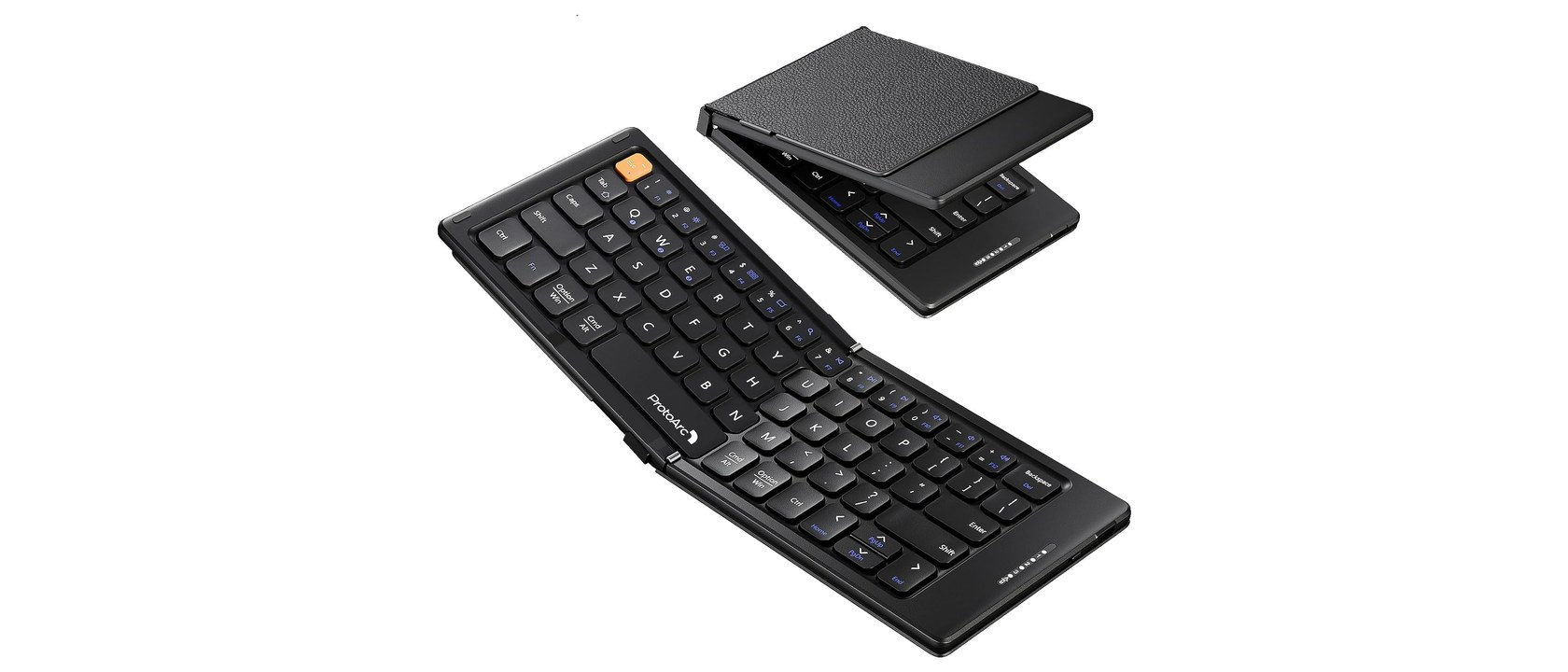
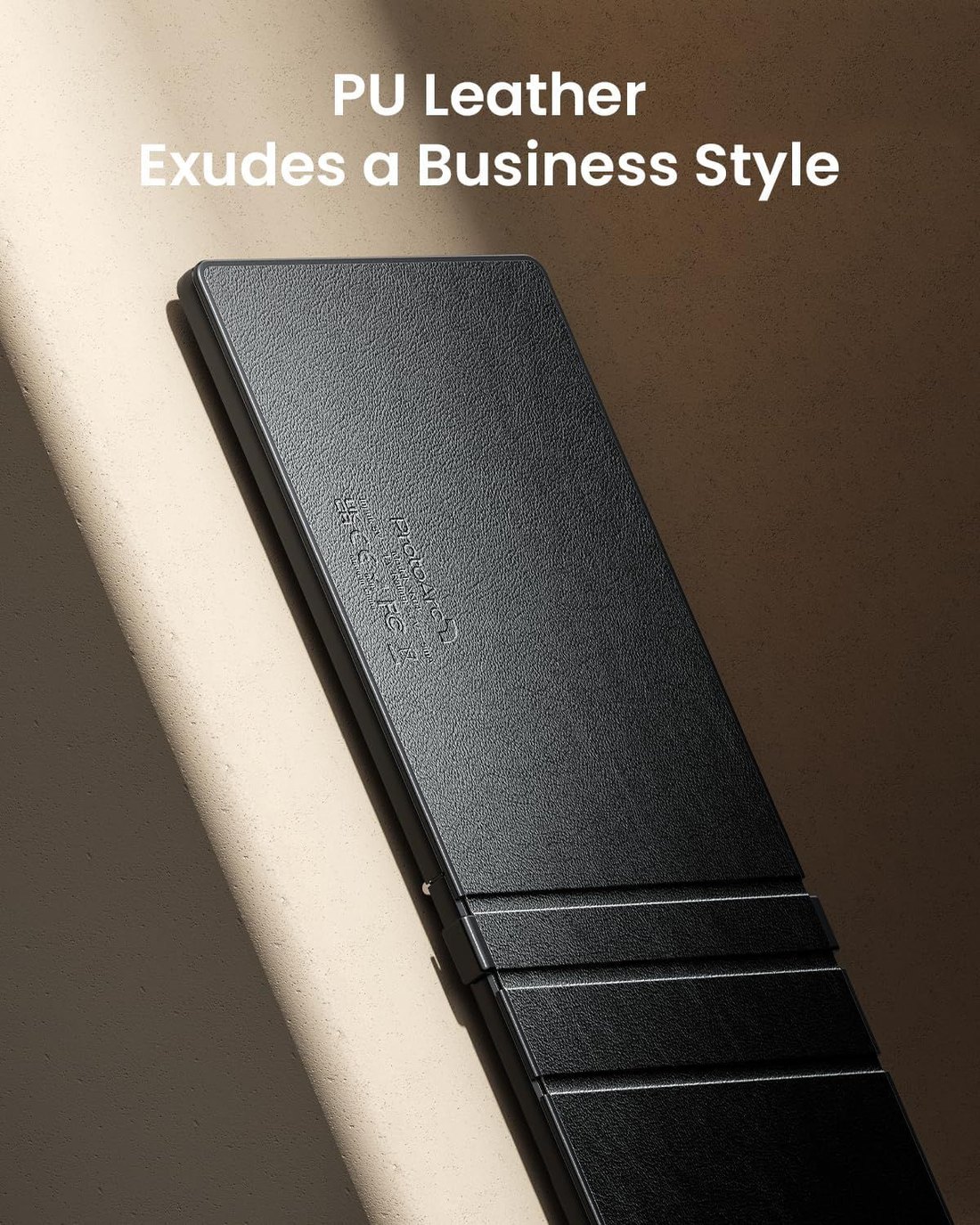
Two details tell you how seriously ProtoArc took that brief. First, the two-fold design closes with a built-in magnetic clasp, so it does not spring open inside a bag. Second, the PU leather cover is structural, not decorative — folded, the leather faces outward and acts as the case, which is why the box does not include one.
Where the brief hits its limit is right there on ProtoArc’s own product page, in a sentence most listings would bury: this portable keyboard “won’t truly function as a general office full size keyboard.” That is not a disclaimer to skip — it is the honest center of the product, and the rest of this review is essentially about what it costs you.
Specs at a glance
| Specification | ProtoArc XK04 |
|---|---|
| Keys | 65, QWERTY layout |
| Key mechanism | ProtoArc scissor key switch (see the note below on the “clicky” labeling) |
| Bluetooth | 5.1 per the Amazon listing, with three channels over Bluetooth Low Energy |
| Wireless range | 33 ft (10 m) rated |
| Battery | 90 mAh rechargeable Li-Po |
| Standby time | “150+ days” on the product page; ≥120 days in the official user manual — see below |
| Active use time | 48 hours, per the official user manual (not mentioned in any marketing copy) |
| Full charge time | About 2 hours via USB-C; indicator turns from red to green |
| Folded size | 5.74 × 4.07 × 0.71 in (145.9 × 103.5 × 17.9 mm) |
| Unfolded size | 10.77 × 4.07 × 0.34 in (273.5 × 103.5 × 8.6 mm) |
| Weight | 7.8 oz (221 g) |
| Backlight | None |
| In the box | Keyboard, USB-A to USB-C cable, collapsible phone holder, user guide |
| Warranty | 2-year limited hardware warranty |
Specifications are from ProtoArc’s official product page, the official XK04 user manual, and the Amazon listing. Where ProtoArc’s own channels disagree with each other, both figures are given and discussed below. Confirm current details on the retailer page before buying.
One more labeling conflict worth noting — ProtoArc’s own spec sheet calls these “scissor key switch” keys, while Amazon’s specification data field labels the switch type “Clicky,” and reviewers describe a snappy, faintly audible feel consistent with either description. The honest reading is that scissor-switch and light-click descriptions overlap on a keyboard this thin; nobody is lying, but nobody has measured it either.
One listing error worth flagging before anything else — Amazon’s specification table prints the product dimensions as “10.76 × 10.76 inches,” which would make this keyboard square. Both the listing’s own bullet points and ProtoArc’s spec sheet agree the unfolded footprint is 10.77 × 4.07 inches. The correct number is the second one; the table field is simply wrong.
How the XK04 compares
| ProtoArc XK04 | iClever BK05 | Samsers full-size foldable | Logitech K380 | |
|---|---|---|---|---|
| Keys | 65 | 78 | 99 + numeric keypad | 79 |
| Folds for travel | Yes — two-fold, magnetic closure | Yes — tri-fold | Yes — folds in half | No |
| Folded size | 5.74 × 4.07 × 0.71 in | 6.5 × 4.7 × 0.58 in | Folds to briefcase size | Does not fold |
| Weight | 221 g | About 281 g | About 261 g | 423 g with batteries |
| Battery | 90 mAh — 48 h active per the manual | 750 mAh — 5 h backlit / 300 h off | Up to 90 h claimed | 2 × AAA, 24 months rated |
| Standby | 120–150 days (sources disagree) | 90 days | Not published | Not applicable |
| Full charge | About 2 h | Up to 4 h | 2–3 h | Not applicable |
| Devices | 3 (Bluetooth 5.1) | 4 (Bluetooth 5.1) | 3 (Bluetooth 5.1) | 3 (Bluetooth Classic 3.0) |
| Backlight | None | 3-color, 2 brightness levels | None | None |
| Warranty | 2 years | 12 months | 1 year | 1 year (US) |
Competitor figures are from each brand’s official product pages and official user manuals as of October 2026. Active-use battery figures are manufacturer claims measured under different conditions, not results from a common test. Samsers markets “90 hours” of battery for this model while its own user manual for the related B099 lists 48 hours of working time — treat both as approximate.
Three things in that table are worth dwelling on.
It is the smallest and lightest board here, by a clear margin. The XK04 is about 60 grams lighter than the iClever tri-fold and less than half the weight of the Logitech K380 — and the K380 does not fold at all. If the question is purely “what disappears hardest into a bag,” the XK04 wins this comparison outright, and it is not close.
Its battery is the smallest here by an order of magnitude. The 90 mAh cell is roughly an eighth of the iClever’s 750 mAh. That is what makes the fine-print section below matter — this is a keyboard engineered so that the auto-sleep function does almost all the work, and ProtoArc’s marketing leans entirely on the standby number.
It has the longest warranty of the foldables. Two years against the iClever’s twelve months and the Samsers’ one year. On a device whose defining feature is a moving hinge carried in a bag every day, the extra coverage is worth something real.
If the smallest-and-lightest package is what you are after, check the XK04’s current Amazon listing — and confirm the color variant on the page, since the listing carries several.
The fold: what pocket-sized actually means
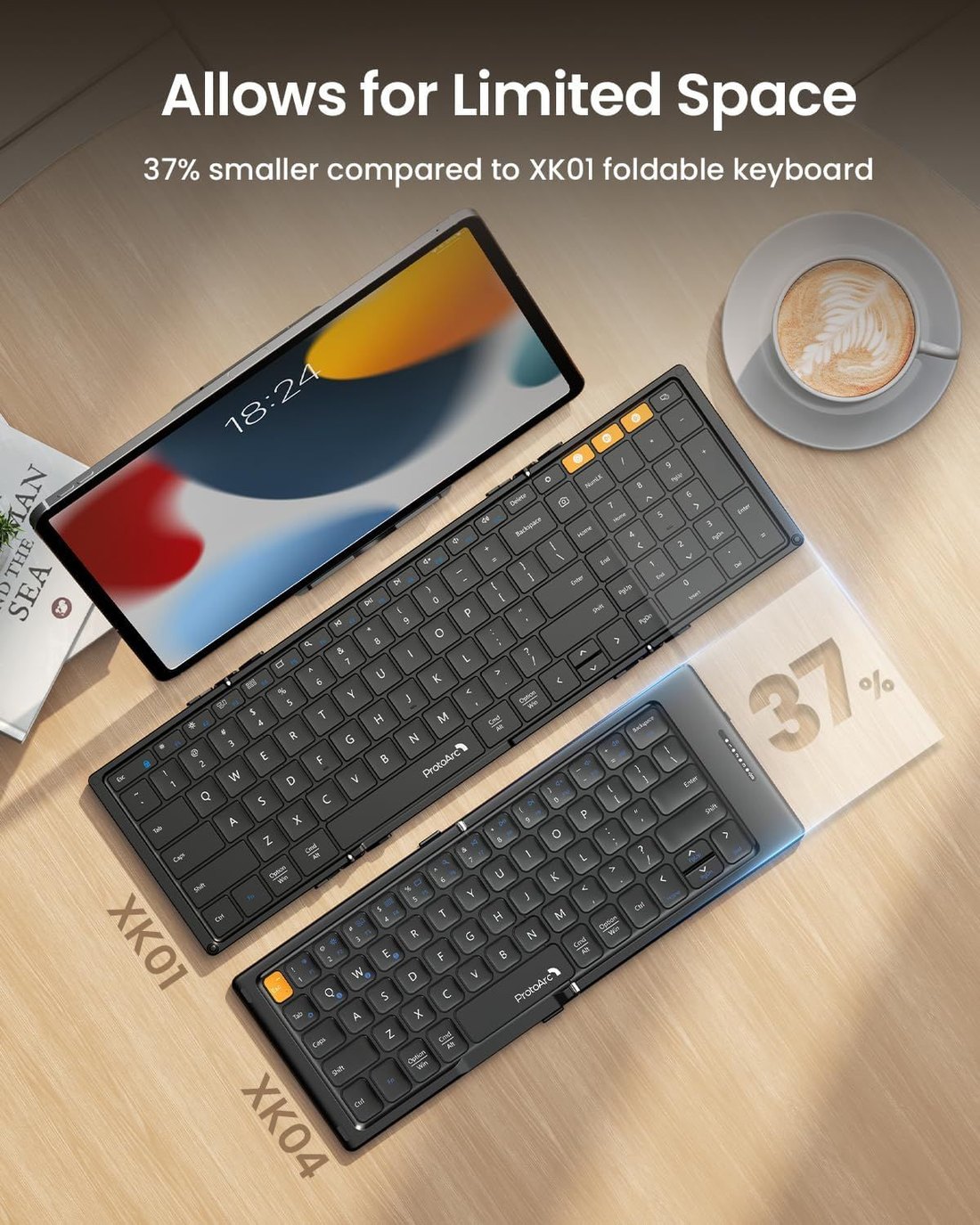
Folded, the XK04 measures 5.74 × 4.07 × 0.71 inches — a little larger than a passport, a little smaller than most paperback novels. Unfolding is a single motion, and the magnetic closure holds it shut in transit. The official listing images show it disappearing into a jacket pocket, and at 7.8 ounces that is not marketing exaggeration; it genuinely fits where a phone goes.
The PU leather cover is the detail that makes the design work. Because the leather wraps the outside when folded, the keyboard ships without a separate case, and the leather becomes the underside when unfolded — several reviewers noted it doubles as a stable, non-slip base on smooth tables. ProtoArc’s official product photography leans into this, and it is one place where the marketing and the product agree.
The hinge itself has survived independent scrutiny. Reviewing the board for Android Police, Andy Boxall found the center hinge “remarkably stable” when laid flat, and other reviewers independently singled out the absence of wobble — which matters, because hinge flex is exactly where cheap foldable keyboards fail. A two-year warranty on that hinge is a coherent promise rather than an accident.
Typing: the 65-key question
The honest summary of typing on the XK04 comes from ProtoArc itself, which warns on the Amazon listing that the compact layout — “including the spacebar near the folding hinge” — may take two to three days to adapt to, and that the board is best suited to emails, messages, and short notes. When a manufacturer pre-announces an adjustment period on its own listing, believe it.
The mechanical reality behind that warning is a 65-key layout. There is no number row of function keys by default, the arrow cluster and right-side keys are compressed, and the spacebar sits hard against the hinge line. For the target use — typing on a phone or tablet propped on the included stand — the layout works better than its size suggests. Boxall’s verdict after actually typing on it was that within a few minutes he was matching his iPad Magic Keyboard for speed and accuracy, which is the most credible positive datapoint this board has, coming from an established outlet rather than a roundup site.
Set against that, several roundup reviews report a lasting speed penalty — losing roughly fifteen to twenty percent of baseline typing speed even after days of adjustment, with the hinge-adjacent spacebar the most-cited cause. Treat those numbers as directional rather than precise; they come from smaller outlets with unverified methods. But they all point the same direction, and they match ProtoArc’s own framing of the product as a short-burst tool.
One more physical note: there is no tilt. The board sits completely flat at 0.34 inches thick when open, and there are no feet to raise the back edge. Over an hour-long session, reviewers consistently mention this — it is fine for twenty minutes of email, less fine for an afternoon.
Battery: the two numbers ProtoArc publishes — and the one it doesn’t advertise
This is the section where the XK04’s marketing most needs unpacking, because ProtoArc publishes different numbers in different places, and the least flattering one appears only in the user manual.
On the product page and the Amazon listing, the claim is “150+ days standby.” In the official XK04 user manual, the specification table reads: standby time ≥120 days, working time 48 hours. Both are official ProtoArc documents. The 150-day figure is the one that appears in every marketing surface; the 120-day minimum and the 48-hour active figure appear only in the manual that ships in the box.
The gap matters less than it first appears, but it should still change how you think about the product. A 90 mAh battery is physically tiny — smaller than the battery in some computer mice — and the design is built around an aggressive auto-sleep that drops the board into a ≤20 µA sleep state between uses. In other words, this is a keyboard engineered so that standby does almost all the work, and the standby number is the marketing number. ProtoArc’s manual does not just quietly disagree with the product page on standby; it also states plainly that a low battery causes visible typing lag — a failure mode you will actually feel, not just an indicator light.
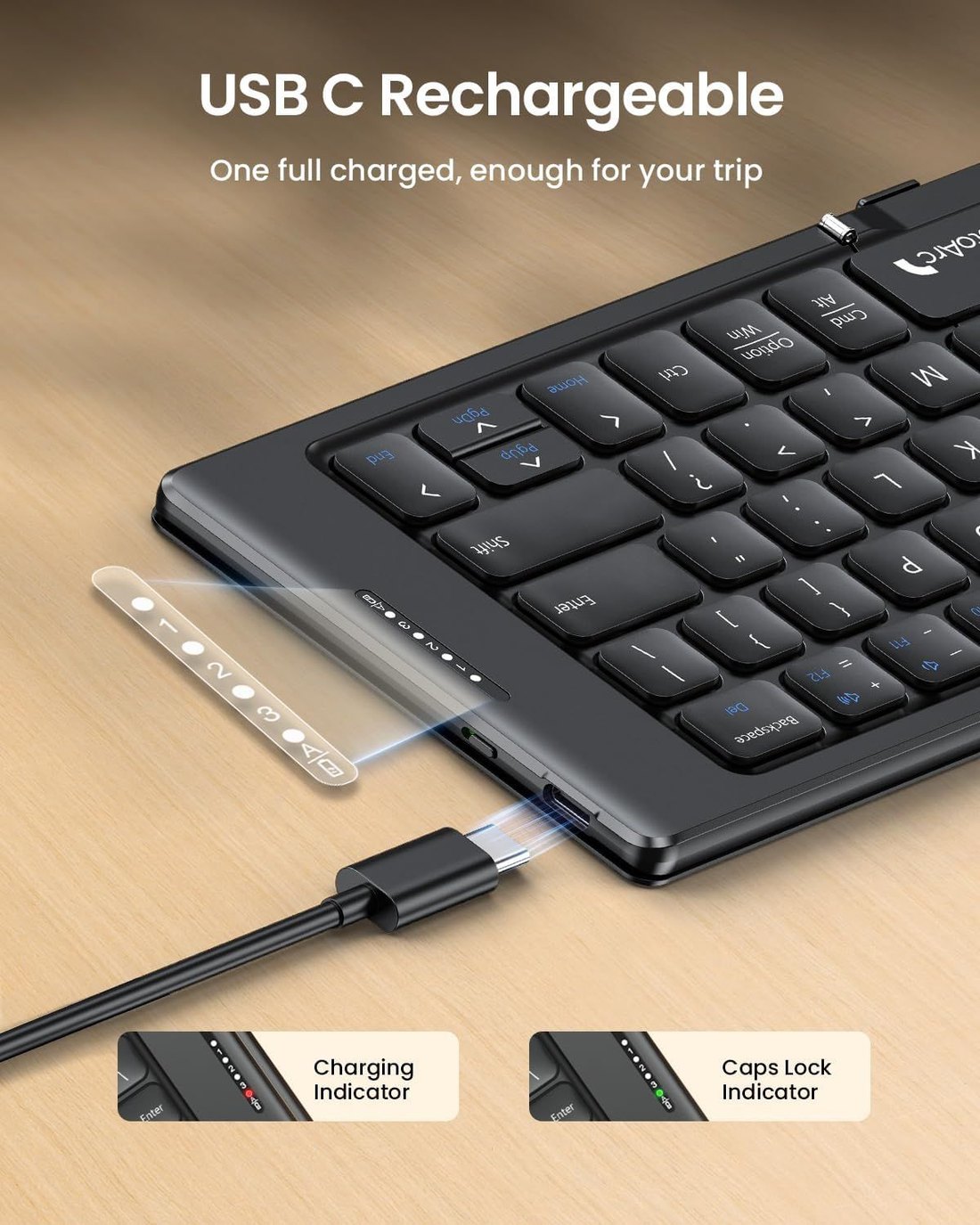
The charging story is more straightforward and better documented. A full charge takes about two hours over USB-C, the indicator light runs red while charging and turns green when done, and the manual warns that when the battery runs low, the red light on the active channel will flash until it shuts off. Because the port is USB-C and the cable is included, one cable covers the keyboard, a modern phone, and a tablet — which is exactly the kind of boring detail a travel kit actually runs on.
The fair conclusion is not that the XK04 has bad battery life — for short-burst mobile typing, weeks between charges is the realistic experience. The fair conclusion is that ProtoArc advertises the flattering number and relegates the others to a PDF. Buy it for what the manual promises, not what the banner claims.
The remapped keys nobody mentions until day one
Here is the single most surprising thing about the XK04, and it is documented only in ProtoArc’s FAQ and user manual: out of the box, the Esc key types a backtick ( ` ), and F1 through F10 type the digits 1 through 0.
This is not a defect — it is a deliberate layout choice. On a 65-key board with no dedicated number row, ProtoArc gave the digit row the prime position and pushed the function keys behind combinations. The official mapping works like this:
- Esc pressed alone produces a backtick; digits come from directly pressing F1 through F10
- Multimedia functions (brightness, volume, playback, home, search) come from Fn plus the media keys
- Real F-keys require Fn+Shift plus the corresponding key — to get F1, press Fn+Shift+F1
- Symbols come from Shift plus the marked key
If your workflow lives in a phone or tablet — where F-keys barely exist and the digit row is everything — this mapping is arguably correct, and most buyers will never notice. But if you bought this keyboard partly to use with a laptop, the mapping inverts the cost: every function key, the escape key, and several symbols now require a two- or three-key combination. For a programmer or a spreadsheet user pairing this with a Windows machine, that is a daily tax, and no listing page warns about it.
Two more official details worth knowing before you buy:
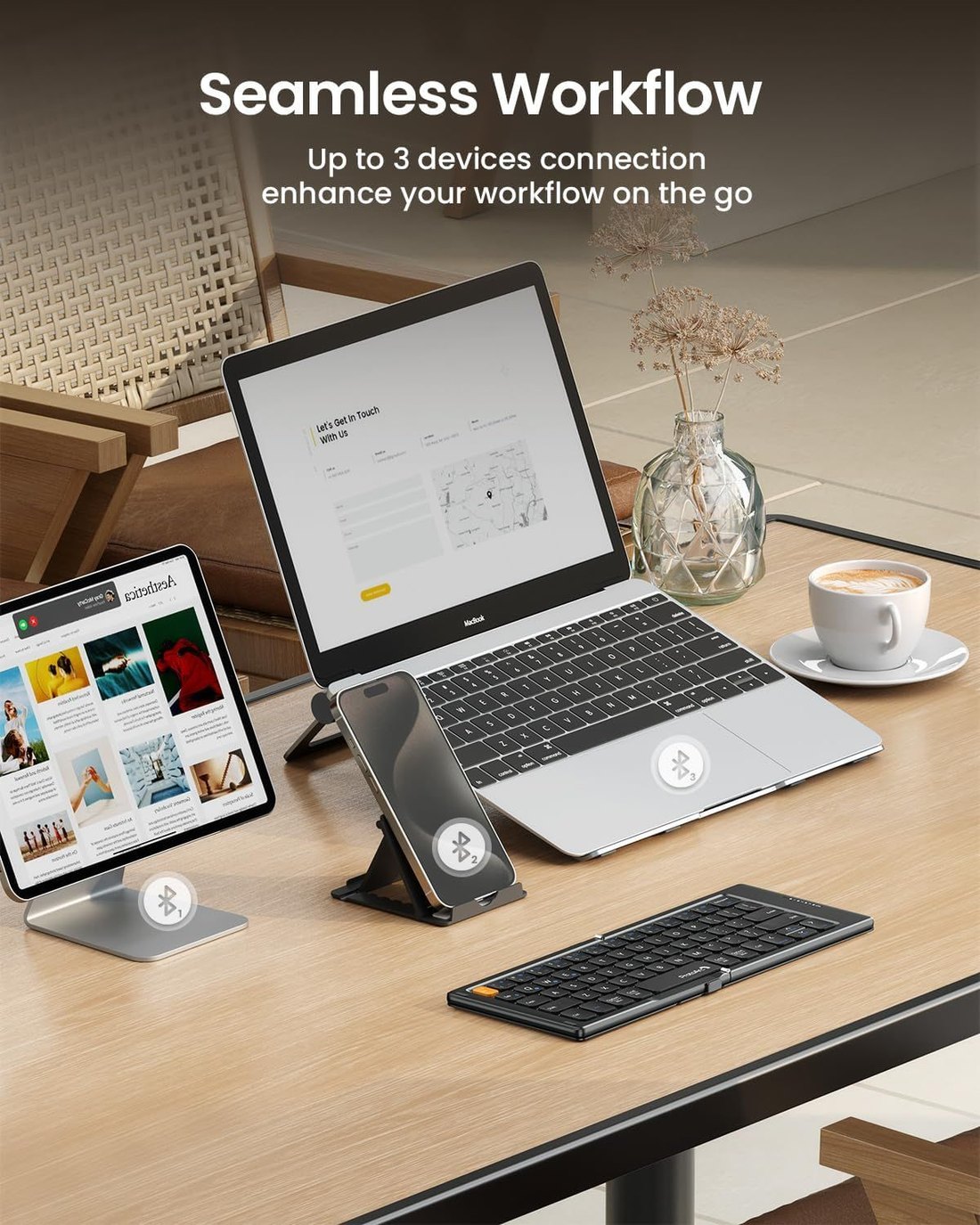
- Pairing and switching. Short-press Fn+Q/W/E to select a channel; long-press the same combination for three to five seconds until the white indicator flashes fast, and the board enters pairing mode. Once three devices are stored, switching is a single short press — no re-pairing.
- Resetting Bluetooth. If a channel misbehaves, hold Esc+3 and power the keyboard on; all indicators flash rapidly, and you can re-pair cleanly. This is from the official FAQ — worth saving, because the reset is not discoverable from the hardware alone.
Where the XK04 falls short
Three limitations deserve their own space, because each one has a concrete consequence.
The battery claims are asymmetric marketing. Covered in detail above, but to compress it — the number you see on the product page (150+ days) is larger than the number in the manual (≥120 days), and the number that would actually help you compare products (48 hours of active use) is never advertised at all. A buyer who types all day at a coffee shop for two days straight is operating near the manual’s own limit, with no margin.
The compact layout is a permanent tax, not a temporary one. ProtoArc’s own listing frames the two-to-three-day adaptation honestly, but the adjustment does not return your full speed. Multiple reviewers report a durable speed penalty and persistent mis-hits around the hinge-adjacent spacebar. Combined with the remapped Esc and F-row, the keyboard quietly assumes your workload is messages and notes — and penalizes anything heavier.
The accessories are the weak link. The collapsible phone stand included in the box is the part of the package independent reviewers most consistently criticize — one review called it flimsy with nowhere to store it, and recommended planning on a better way to prop up your screen. There is also no backlight of any kind, so airplane-cabin and hotel-room typing happens by feel. Neither flaw is hidden — but neither is fixed in this generation, and the XK01 Plus is ProtoArc’s own answer to the backlight gap if it matters to you.
Who should buy the XK04

- Short-burst typists who travel. If your real workload is email, chat, and notes — in a lobby, on a train, at a café table — the fold-to-pocket size and the three-device switching are genuinely differentiated. Nothing else this small has a hinge this stable.
- Multi-device people. Phone in the morning, tablet in the afternoon, laptop in the evening — the Fn+Q/W/E switching is faster than any software-based flow, and Bluetooth 5.1 holds a stable connection at the rated range in ordinary rooms.
- iPad and Android tablet owners. This is the board ProtoArc explicitly designed for, and the multimedia row is mapped to mobile OS behavior first. The tablet-plus-stand pairing is the product’s best version of itself.
If two or more of those describe you, see the XK04 listing on Amazon — and double-check the color and bundle on the page before ordering, since the listing carries several variants.
Who should skip it
- Long-form writers and fast typists. The speed penalty is real and does not fully go away. If you write thousand-word documents away from a desk, you want ProtoArc’s own XK01 full-size foldable, or a non-folding board like the Logitech K380 that keeps a standard layout.
- Laptop-first users who need F-keys. The remapped Esc and function row make this a frustrating partner for a Windows or Mac laptop. The K380’s standard mapping costs you nothing here.
- Anyone who types in the dark. No backlight, full stop. The iClever BK05 is the foldable in this comparison that solves it.
- Spreadsheet and data-entry work. No dedicated number pad, digits on remapped keys, and a compressed right side. The Samsers full-size foldable exists precisely for this job.
How to choose a foldable keyboard: a short checklist
If you are comparing across brands rather than choosing between this review’s picks, four questions sort the field faster than any spec sheet.
- Where does the spacebar sit relative to the hinge? This single layout detail predicts most of the typing experience on two-fold boards. A hinge under the spacebar or the B-key column means an adjustment period; try to see a layout diagram before buying.
- What is the active-use battery figure? Standby numbers are marketing bait — every foldable claims months. The figure that separates products is rated working hours, and many brands publish it only in the user manual. Look for the PDF before you buy, not after.
- How many devices, and how fast to switch? Three channels is the current standard; four (iClever) is a genuine bonus for people who carry a work and personal phone. Prefer dedicated switching keys over re-pairing flows.
- What is actually in the box? Stand, cable, pouch, warranty length. The stand quality varies wildly between brands and is the accessory you will touch every single day.
Frequently asked questions
Can the ProtoArc XK04 connect to a laptop, or is it phone-only? It connects to any Bluetooth-capable device — Windows, Mac, iPadOS, iOS, and Android are all listed in the official manual, and laptops work fine over Bluetooth 5.1. The caveat is the remapped Esc and function row, which make it a weaker companion to a laptop than to a phone or tablet, even though the connection itself is flawless.
How do I reset the XK04’s Bluetooth if a device won’t pair? Per ProtoArc’s official FAQ — hold the Esc and 3 keys together, then power the keyboard on. All indicator lights flash rapidly; release the keys and re-pair from your device’s Bluetooth menu. For routine pairing, short-press Fn+Q/W/E to pick a channel, then long-press the same combination for three to five seconds until the indicator flashes.
How long does the battery actually last? The official user manual specifies 48 hours of active use and at least 120 days of standby, with a full charge taking about two hours. The product page advertises 150+ days of standby. Both are official ProtoArc figures — the manual’s are the more conservative and, in our view, the ones to plan around. Note also the manual’s warning that a low battery causes typing lag before the keyboard shuts off.
Does it work with iPhone and iPad? Yes — iOS and iPadOS are explicitly supported, the multimedia keys are mapped for iOS behavior in the official manual, and reviewers have paired it with iPhones and iPads without issue. Text editing shortcuts like cursor movement depend on the app rather than the keyboard.
Is the XK04 good for writing long documents? ProtoArc’s own product page says the board “won’t truly function as a general office full size keyboard” and recommends it for emails, messages, and short notes. That matches the physical reality — the compact layout and hinge-adjacent spacebar impose a speed penalty that persists past the adjustment period. For long-form work, ProtoArc’s XK01 full-size foldable is the board designed for that job.
View the ProtoArc XK04 on Amazon →
About this review
This review is based on ProtoArc’s official product page and official XK04 user manual and FAQ documentation, the Amazon retail listing, and published hands-on coverage from independent outlets including Android Police and several dedicated keyboard review sites. Product images are the manufacturer’s official product images from the retail listing, not photos taken by us. We have not performed instrumented laboratory testing, and nothing here should be read as a measured result. Where official sources disagree with each other — most notably on standby time and key-switch labeling — both figures are reported above rather than averaged. Specifications and availability change frequently; always confirm current details on the retailer page before purchasing.
Last updated: October 2, 2026
More from TechWithAll
- Logitech MX Mechanical review — Polished, comfortable office keyboard with no customisation.
- NuPhy Air75 review — The best low-profile mechanical keyboard for most people.
- Keychron K8 Pro review — The best first mechanical keyboard for most people.
Browse the full keyboards category.